> ## Documentation Index
> Fetch the complete documentation index at: https://dripart-docs-wan3-30off-promo.mintlify.site/llms.txt
> Use this file to discover all available pages before exploring further.
# Qwen-Image-Edit-2511 ComfyUI Native Workflow Example
> Edit images with Qwen-Image-Edit-2511 in ComfyUI, with improved character consistency, multi-person editing, LoRA support, and stronger geometric reasoning.
**Qwen-Image-Edit-2511** is an enhanced version of Qwen-Image-Edit-2509, featuring multiple improvements including notably better consistency. This model extends Qwen-Image's unique text rendering capabilities to editing tasks, enabling precise text editing with dual semantic and appearance editing capabilities.
**Key Enhancements in Qwen-Image-Edit-2511**:
* **Mitigate Image Drift**: Improved stability during editing operations
* **Improved Character Consistency**: Better preservation of identity and visual characteristics during imaginative edits
* **Multi-Person Consistency**: High-fidelity fusion of multiple person images into coherent group shots
* **Integrated LoRA Capabilities**: Popular community LoRAs built directly into the base model
* **Enhanced Industrial Design Generation**: Better support for batch industrial product design and material replacement
* **Strengthened Geometric Reasoning**: Direct generation of auxiliary construction lines for design or annotation
**Official Links**:
* [GitHub Repository](https://github.com/QwenLM/Qwen-Image)
* [Hugging Face](https://huggingface.co/Qwen/Qwen-Image-Edit-2511)
* [ModelScope](https://modelscope.cn/models/Qwen/Qwen-Image-Edit-2511)
* [Tech Report](https://qianwen-res.oss-cn-beijing.aliyuncs.com/Qwen-Image/Qwen_Image.pdf)
* [Blog](https://qwenlm.github.io/blog/qwen-image-edit-2511/)
## Qwen-Image-Edit-2511 ComfyUI Native Workflow Example
Make sure your ComfyUI is updated.
* [Download ComfyUI](https://www.comfy.org/download)
* [Update Guide](/installation/update_comfyui)
Workflows in this guide can be found in the [Workflow Templates](/interface/features/template).
If you can't find them in the template, your ComfyUI may be outdated.
If nodes are missing when loading a workflow, possible reasons:
1. You are not using the latest ComfyUI version (Nightly version)
2. Some nodes failed to import at startup
* [Cloud](https://cloud.comfy.org) will update after ComfyUI stable release.
So, if you find any core node missing in this document, it might be because the new core nodes have not yet been released in the latest stable version. Please wait for the next stable release.
Qwen Image Edit 2511 - Material Replacement
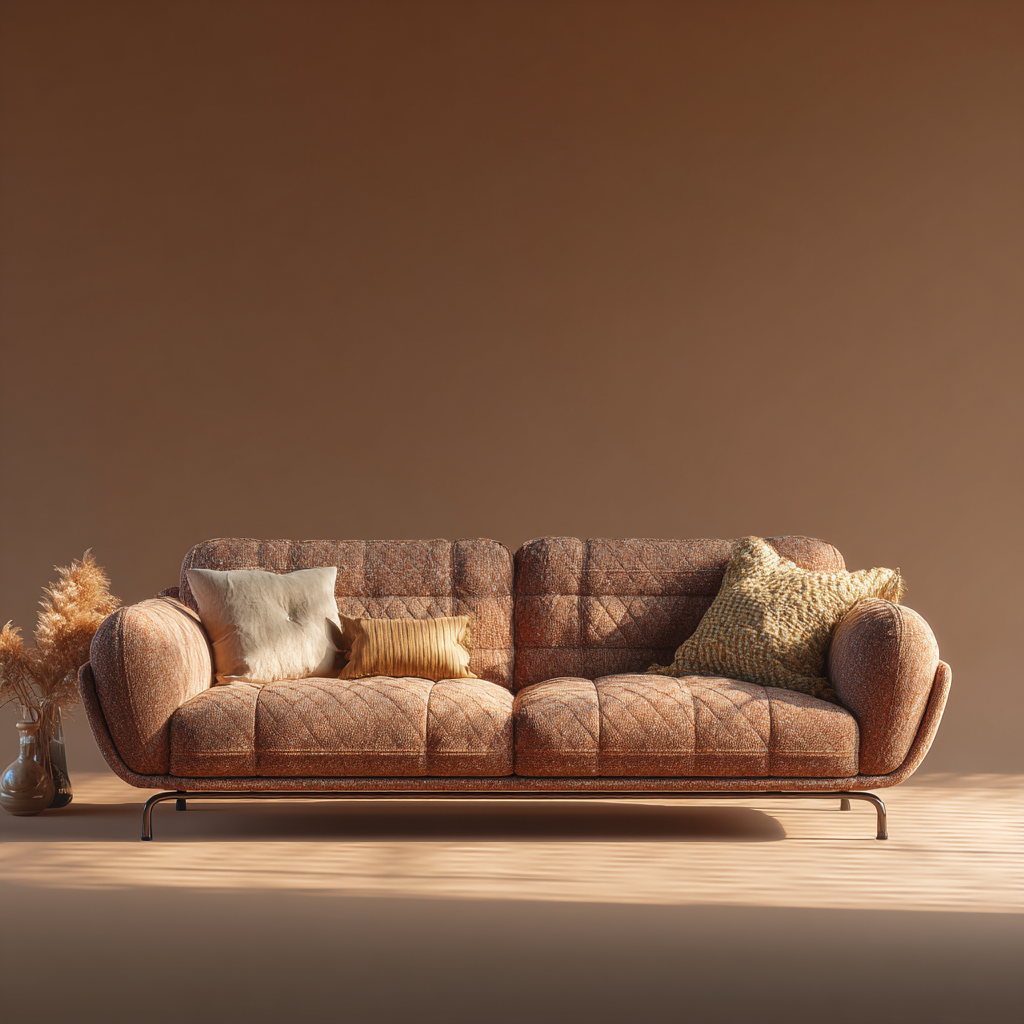
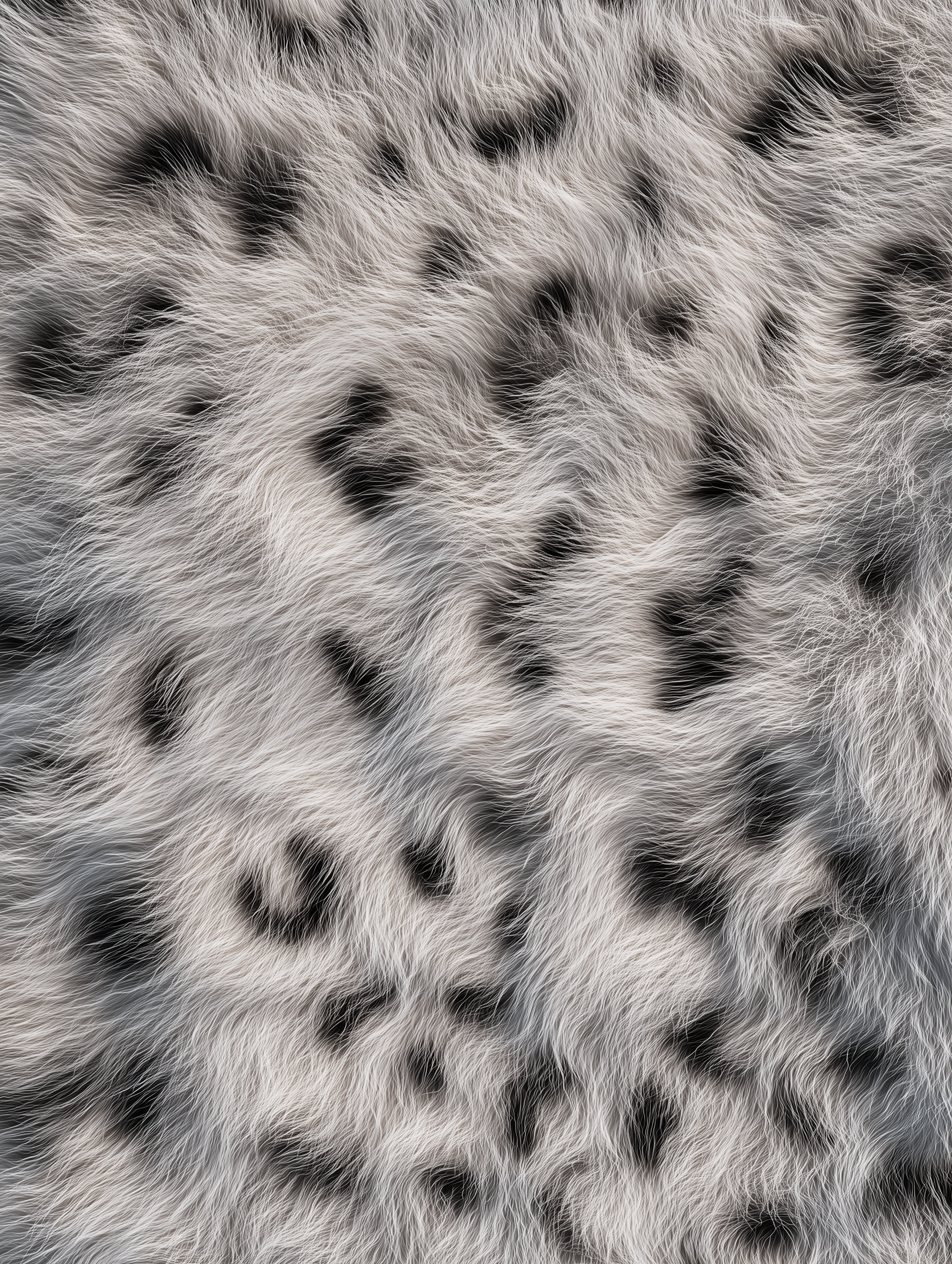
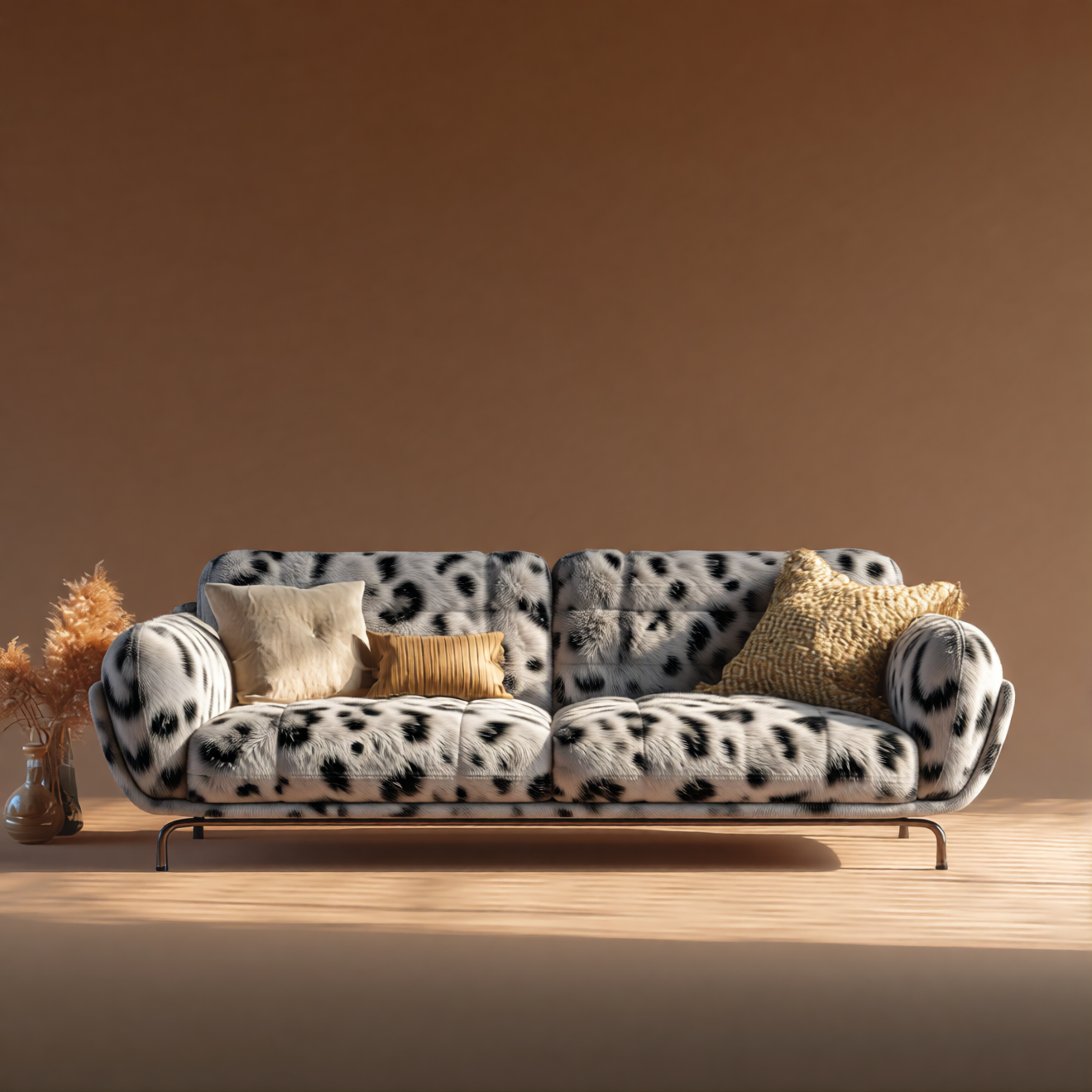
Replace materials in objects (for example, furniture) by combining reference images with Qwen-Image-Edit-2511.
 Open in Comfy Cloud
Download JSON or search "Qwen-Image-Edit-2511" in Template Library
**Input materials**
Upload these files to the matching `LoadImage` nodes:
`LoadImage` node 41 · `leather_sofa.png`
`LoadImage` node 83 · `texture_fur.png`
**Example output**
### 1. Workflow file
After updating ComfyUI, you can find the workflow file from the templates, or drag the workflow preview above into ComfyUI to load it.
### 2. Model download
**Text Encoders**
* [qwen\_2.5\_vl\_7b\_fp8\_scaled.safetensors](https://huggingface.co/Comfy-Org/HunyuanVideo_1.5_repackaged/blob/main/split_files/text_encoders/qwen_2.5_vl_7b_fp8_scaled.safetensors)
**LoRA (Optional - for 4-step Lightning acceleration)**
* [Qwen-Image-Edit-2511-Lightning-4steps-V1.0-bf16.safetensors](https://huggingface.co/lightx2v/Qwen-Image-Edit-2511-Lightning/blob/main/Qwen-Image-Edit-2511-Lightning-4steps-V1.0-bf16.safetensors)
**Diffusion Models**
* [qwen\_image\_edit\_2511\_bf16.safetensors](https://huggingface.co/Comfy-Org/Qwen-Image-Edit_ComfyUI/blob/main/split_files/diffusion_models/qwen_image_edit_2511_bf16.safetensors)
**VAE**
* [qwen\_image\_vae.safetensors](https://huggingface.co/Comfy-Org/Qwen-Image_ComfyUI/blob/main/split_files/vae/qwen_image_vae.safetensors)
**Model Storage Location**
```
📂 ComfyUI/
├── 📂 models/
│ ├── 📂 text_encoders/
│ │ └── qwen_2.5_vl_7b_fp8_scaled.safetensors
│ ├── 📂 loras/
│ │ └── Qwen-Image-Edit-2511-Lightning-4steps-V1.0-bf16.safetensors
│ ├── 📂 diffusion_models/
│ │ └── qwen_image_edit_2511_bf16.safetensors
│ └── 📂 vae/
│ └── qwen_image_vae.safetensors
```
Open in Comfy Cloud
Download JSON or search "Qwen-Image-Edit-2511" in Template Library
**Input materials**
Upload these files to the matching `LoadImage` nodes:
`LoadImage` node 41 · `leather_sofa.png`
`LoadImage` node 83 · `texture_fur.png`
**Example output**
### 1. Workflow file
After updating ComfyUI, you can find the workflow file from the templates, or drag the workflow preview above into ComfyUI to load it.
### 2. Model download
**Text Encoders**
* [qwen\_2.5\_vl\_7b\_fp8\_scaled.safetensors](https://huggingface.co/Comfy-Org/HunyuanVideo_1.5_repackaged/blob/main/split_files/text_encoders/qwen_2.5_vl_7b_fp8_scaled.safetensors)
**LoRA (Optional - for 4-step Lightning acceleration)**
* [Qwen-Image-Edit-2511-Lightning-4steps-V1.0-bf16.safetensors](https://huggingface.co/lightx2v/Qwen-Image-Edit-2511-Lightning/blob/main/Qwen-Image-Edit-2511-Lightning-4steps-V1.0-bf16.safetensors)
**Diffusion Models**
* [qwen\_image\_edit\_2511\_bf16.safetensors](https://huggingface.co/Comfy-Org/Qwen-Image-Edit_ComfyUI/blob/main/split_files/diffusion_models/qwen_image_edit_2511_bf16.safetensors)
**VAE**
* [qwen\_image\_vae.safetensors](https://huggingface.co/Comfy-Org/Qwen-Image_ComfyUI/blob/main/split_files/vae/qwen_image_vae.safetensors)
**Model Storage Location**
```
📂 ComfyUI/
├── 📂 models/
│ ├── 📂 text_encoders/
│ │ └── qwen_2.5_vl_7b_fp8_scaled.safetensors
│ ├── 📂 loras/
│ │ └── Qwen-Image-Edit-2511-Lightning-4steps-V1.0-bf16.safetensors
│ ├── 📂 diffusion_models/
│ │ └── qwen_image_edit_2511_bf16.safetensors
│ └── 📂 vae/
│ └── qwen_image_vae.safetensors
```